MILAGPT has a team of AI assistants: one writes posts, another runs websites, a third welcomes new people, a fourth checks facts. The question the owner asks most often is: “What are they all doing right now?” Now the answer is on the screen.
What Mila Office is
It is a live picture of an office where our Milas sit at their desks. The screen runs on a TV or a tablet. For each Mila you can see three things:
- what she is doing now — in one line: “Writing a post about Mila TV”;
- what she has done today — up to three items;
- what comes next and when — for example, “post in the channel at 17:00”.

Wins — real ones only
Next to each Mila is a feed of her wins for the day: a post went out, a page was handed in, a new Mila was born. Only things you can open and check get in. “Almost done” does not count as a win.
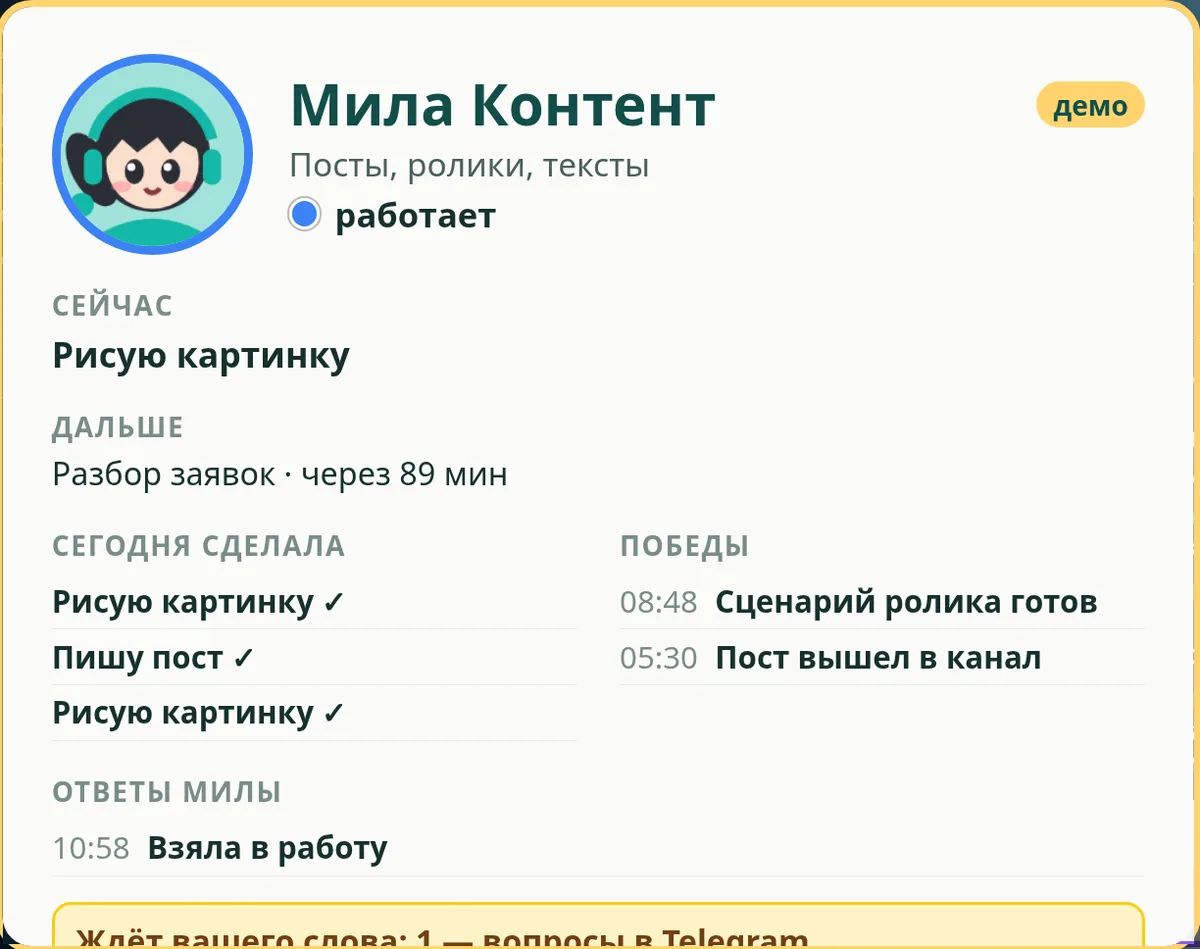
You can see who is free
The most useful thing for a manager is to see who has nothing next. If a Mila has nothing to do, the screen shows it plainly, with no dressing up. That means you can give her a new task.
Tasks — from the screen
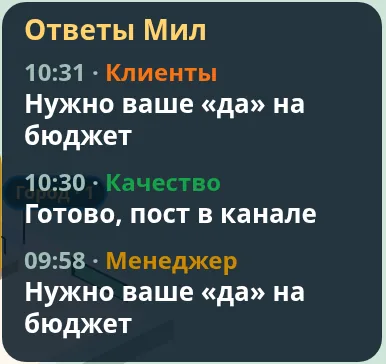
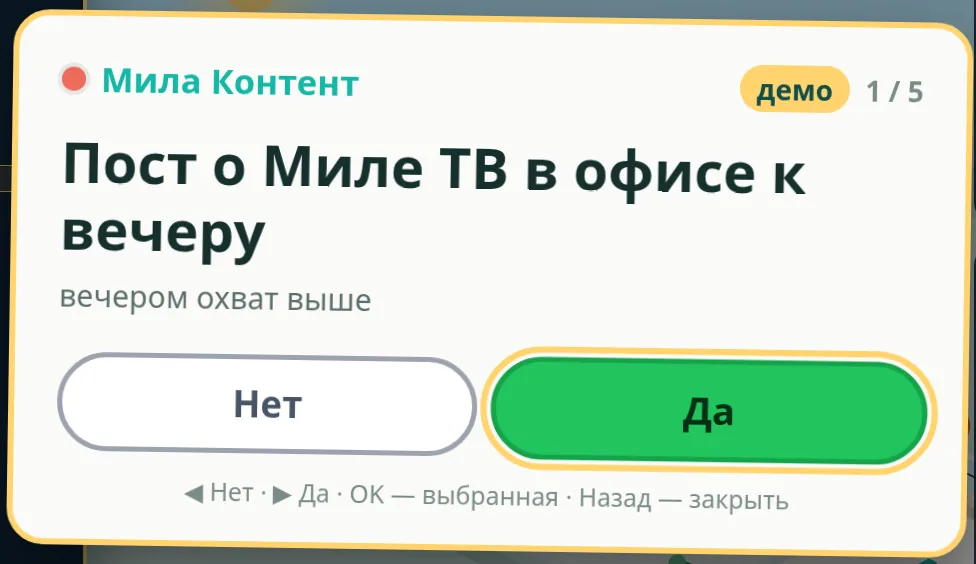
The owner picks a Mila on the screen and gives her a task with a card or by voice. Mila takes the task on, updates her “now” line and, when she is done, replies briefly: in Telegram and in the shared feed on the screen. The reply is one or two lines: what was done and where to look.
What the screen does not show
Other people may see the screen, so it holds no secrets. No client names, no amounts, no links, no conversations. A client on the screen is “a travel agency client”, not a name and a phone number. Mila sends the details to you personally, in Telegram.
Why a small business needs this
When you have several assistants, it is easy to lose track: who took what, what got stuck. Mila Office answers that at a glance. No need to message each of them “how is it going?” and collect the answers — it is all on one screen.
Right now Mila Office runs in our own team. Want to see your Milas at work the same way? Write to Mila.